The PowerPoint viewer for your platform
Turn any .pptx into HTML5 that plays inside your app, with animations, video, links and fonts intact. No Office viewer, no flattened images.
2 free conversions a month · no credit card · API key in under a minute
What is SlideKiln?
SlideKiln is a PowerPoint rendering engine that converts .pptx files into self-contained HTML5 presentations. Software platforms that store presentations, such as digital asset management systems, compliance review tools, CRMs, sales enablement apps and learning management systems, use SlideKiln to display decks inside their own product with animations, transitions, Morph, embedded video, hyperlinks and original fonts preserved.
Unlike image-based previews or third-party viewers, SlideKiln rebuilds each slide as native HTML, SVG and CSS. The output is a static folder the platform hosts itself, so files never pass through an outside viewer.
SlideKiln at a glance
- What it is
- PowerPoint (.pptx) rendering engine and conversion API
- Output
- Self-contained HTML5 package (HTML, SVG, CSS, JS), or a hosted embed URL
- Preserves
- Animations, transitions, Morph, embedded video and audio, hyperlinks and slide jumps, charts, SmartArt, fonts
- Built for
- DAMs, compliance and review systems, CRM and sales enablement, LMS, board portals, native apps
- Integration
- REST API, signed upload URLs, HMAC-signed webhooks, idempotency keys
- Hosting
- Self-host on any CDN or in an app webview (works offline), or use SlideKiln hosting
- Viewer dependency
- None. No PowerPoint, Office Online or third-party player
- Pricing
- Self-serve: Free, Pro $29/mo, Scale $149/mo. Sign up online, no sales call
The problem
Most platforms preview a deck as a stack of flat pictures
Your customers upload presentations every day. Then the animations disappear, the video won't play, the links go dead, and the text turns into a blurry screenshot. Building a real PowerPoint renderer in-house takes years. SlideKiln already did it.
Image previews
- ✕Animations and transitions lost
- ✕Video and audio don't play
- ✕Links and slide jumps dead
- ✕Text blurs when zoomed
Third-party viewers
- ✓Some animation support
- ✕Your customers' files on someone else's servers
- ✕Their branding and player, not yours
- ✕Needs a connection to their service
SlideKiln
- ✓Animations, transitions and Morph as authored
- ✓Embedded video and audio play in place
- ✓Links and slide jumps work
- ✓Self-contained output you host and control
Who it's for
Built for platforms that hold presentations
Digital asset management
Preview every deck in the library as the real presentation, not a thumbnail strip, so users can see what they're about to send.
Compliance & review systems
When the approved version has to look exactly like what reviewers signed off on, fidelity is a requirement, not a nice-to-have.
CRM & sales enablement
Put the full presentation in front of reps and buyers, on any device and even offline, without asking anyone to open PowerPoint.
LMS & training
Instructors upload .pptx constantly. Play it in the course with the builds and video that made the lesson work.
Board portals & data rooms
Security-sensitive decks render inside your environment. No third-party viewer ever touches the file.
Native & mobile apps
Ship decks inside iOS, Android and desktop apps as a local package that runs in a webview, offline.
See it live
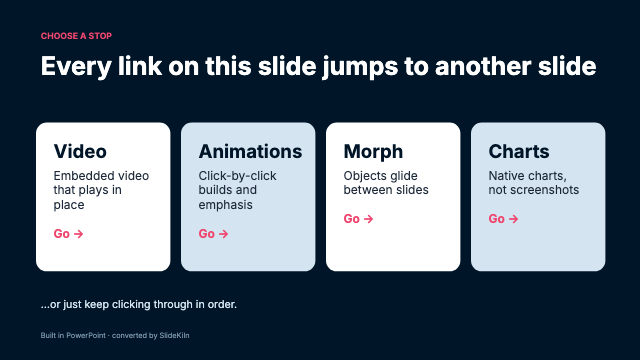
The deck at the top of this page is a real .pptx
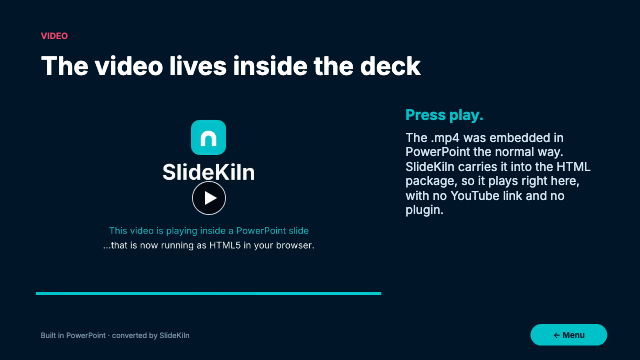
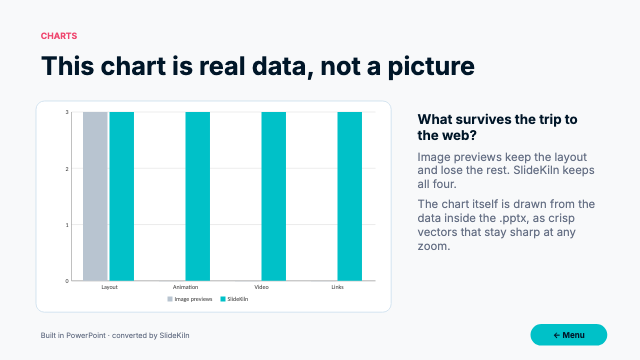
We built this presentation in PowerPoint and ran it through SlideKiln unchanged. What you're clicking is real HTML: selectable text, vector shapes, the original fonts.
- Embedded video that plays in place
- Slide transitions and Morph, exactly as authored
- Clickable menus that jump between slides
- Entrance and emphasis animations on click
Drops into the pipeline you already have
Your platform sends the .pptx
Call the API when a user uploads a deck, or batch-convert your existing library. Big files go through signed upload URLs.
SlideKiln renders it
We parse the PowerPoint file directly and rebuild every slide as HTML, SVG and CSS, with the animation runtime bundled in.
You serve it, in your product
A signed webhook tells you it's ready. Store the self-contained package next to the original and show it in your own viewer.
# When a user uploads a deck to your platform:
curl -X POST https://slidekiln.com/backend/v1/jobs \
  -H "Authorization: Bearer sfk_your_api_key" \
  -F "file=@uploaded-deck.pptx" \
  -F "callbackUrl=https://your-platform.com/hooks/slidekiln"

# → signed webhook when it's ready; store the package next to the original
Why SlideKiln
Everything the deck does, your browser does
Pixel-faithful rendering
All 187 preset shapes, custom geometry, tables, effects and fills, parsed straight from the PowerPoint file.
Animations & Morph
Entrances, emphasis, motion paths, transitions and Morph play back exactly as authored.
Real font metrics
Server-side text layout with true font metrics, so line breaks land where PowerPoint put them.
Charts, SmartArt & media
Native charts, SmartArt, and embedded video and audio.
Built for automation
REST API, idempotency keys, signed uploads for large files and HMAC-signed webhooks.
Yours to host
Output is a static folder. Serve it from your CDN, ship it in an app, or let us host it.
Pick how you run it
Self-serve API
Sign up, grab a key and start converting today. Monthly plans below.
Hosted embeds
Don't want to store packages? We host the deck at a stable URL and you drop in an iframe.
Self-hosted packages
Download every conversion as a static folder and serve it from your own CDN or app. Customer files never leave your environment.
Pricing
Pay for what you convert
Every plan includes the full rendering engine — animations, charts, fonts and all. Usage is metered per conversion.
Free
Try the converter on real decks.
$0forever
- 2 conversions / month
- 2 hosted presentations
- 1 API key
- 1 team member
Pro
For teams shipping decks to the web.
$29per month
- 35 conversions included
- 15 hosted presentations
- $1.00 per extra conversion
- 3 API keys · 3 team members
Scale
High volume, lowest overage.
$149per month
- 350 conversions included
- 50 hosted presentations
- $0.55 per extra conversion
- 10 API keys · 10 team members
Frequently asked questions
How do I show PowerPoint files inside my own platform?
Send each uploaded .pptx to the SlideKiln API. SlideKiln returns a self-contained HTML5 package that plays the deck in any browser or webview, with animations, video and links intact. Store the package next to the original file and load it in your own viewer, or use a SlideKiln-hosted embed URL.
What is the best PPTX viewer for a DAM or content management system?
For platforms that need decks to look and behave exactly like PowerPoint, SlideKiln renders the presentation as native HTML rather than images, so animations, Morph, embedded video and hyperlinks keep working. The output is hosted by the platform itself, so customer files never go to a third-party viewer.
Can compliance or review systems use SlideKiln for approved content?
Yes. SlideKiln reproduces the deck as authored, including layout, fonts and animation timing, which matters when the version shown to customers must match the version reviewers approved.
Do converted decks work offline in mobile and desktop apps?
Yes. The output is a static folder with no server dependency, so it can be bundled into iOS, Android, React Native, Flutter or Electron apps and played in a webview without a connection.
How is SlideKiln different from Office Online or Google Slides embeds?
Office Online and Google Slides embeds keep the file on Microsoft or Google servers and show their player. SlideKiln gives you a package you host and brand yourself, with animations, transitions and Morph played by a bundled runtime.
Can I convert my whole existing library of presentations?
Yes. Batch-convert through the API; large files upload through signed URLs and each job reports completion through a signed webhook. The Scale plan has the lowest per-conversion rate, and you can upgrade from the dashboard anytime.
Contact
Questions?
Send us a note about a deck, the API or your account.
Put real decks in your product today
Create a free account, convert a deck from your own library, and have an API key in your code before lunch. No sales call, no credit card.